

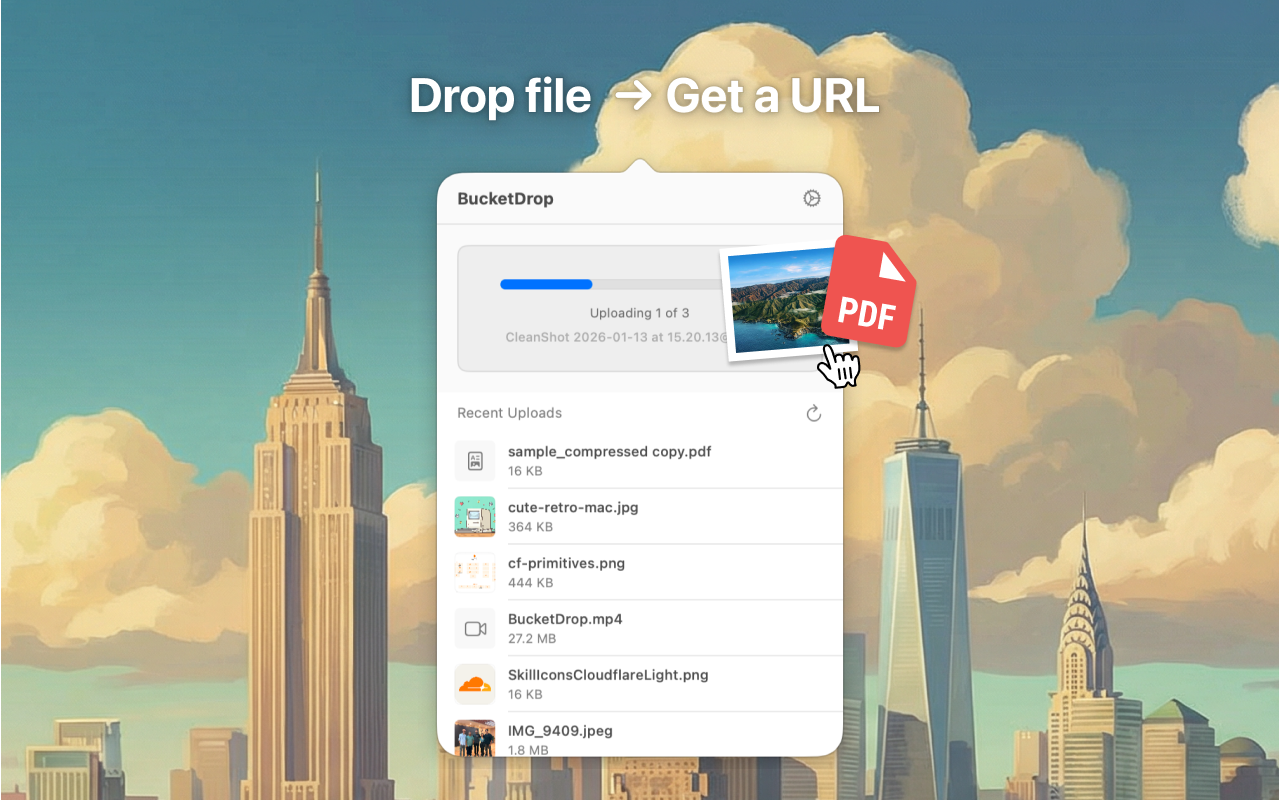
File uploads from your Mac menu bar. Bring your own R2 bucket.
BucketDrop — File Uploads from Your Menu Bar
A native macOS menu bar app for dragging and dropping files into S3-compatible storage, powered by Cloudflare R2.
About BucketDrop
BucketDrop lives in your Mac’s menu bar. Drag a file onto the icon, and it uploads to your S3-compatible bucket. The URL lands in your clipboard, ready to share.
No browser dashboards. No clunky web UIs. You drop files and get links.
The app works with Cloudflare R2, AWS S3, and MinIO. R2 users benefit most: zero egress fees mean you can share links without watching bandwidth costs climb. You bring your own bucket and credentials, so you control where files live and who can access them.
BucketDrop also supports batch uploads and Quick Look previews. You can download or delete files from the menu bar popover without opening a separate app.
Frameworks & Technologies Used
- App Framework: SwiftUI (native macOS menu bar application)
- Platform: macOS 14.0 (Sonoma) or later
- Storage Protocol: S3-compatible API (Cloudflare R2, AWS S3, MinIO)
- Language: Swift
Why Cloudflare for This Project?
- Zero Egress Fees: R2 has no egress costs. You upload once and share the link as many times as you need. Other object storage providers charge per gigabyte downloaded.
- S3 Compatibility: R2 speaks the S3 protocol, so BucketDrop didn’t need a custom integration. Standard S3 SDKs and auth flows work without modification.
- Global Performance: Cloudflare serves R2 files through its network of 300+ data centers. Your recipients get fast downloads whether they’re in Tokyo or Toronto.
- Custom Domains: You can map your own domain to an R2 bucket, so shared files come from your URL instead of a generic storage endpoint.