

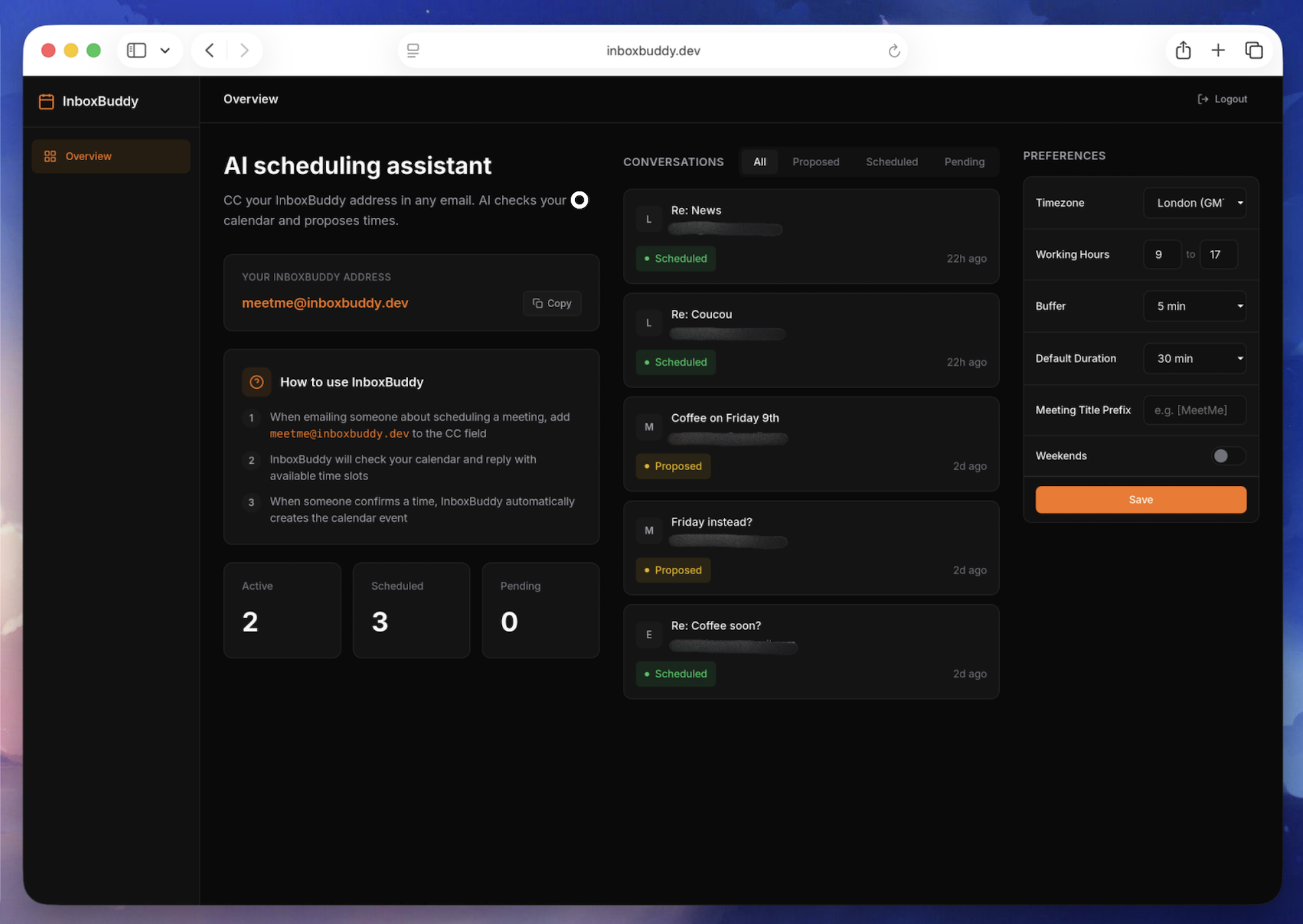
AI-powered scheduling assistant. Just CC the bot in any email and it handles meeting coordination, calendar checks, and booking automatically.
InboxBuddy — Schedule Meetings by CCing an AI
An email-first scheduling assistant built on Cloudflare’s Agents SDK. CC the bot, and it coordinates calendars and books meetings for you.
About InboxBuddy
InboxBuddy eliminates the back-and-forth of scheduling meetings. You CC meetme@inboxbuddy.dev in any email thread, and the AI reads the conversation, checks your Google Calendar for open slots, and proposes times to the other participants. Reply with “Tuesday works” and InboxBuddy books it, sending calendar invites to everyone.
If you specify an exact time (“Let’s grab coffee Wednesday at 10am”) and the slot is free, InboxBuddy books it on the spot. No confirmation step needed. You can also reschedule or cancel by replying to the thread.
The app runs on Cloudflare’s Agents SDK with two Durable Object agents: a SchedulingAgent that handles email conversations and calendar logic, and a DashboardAgent that pushes real-time updates to a React UI over WebSockets. Conversations are stored in D1, OAuth tokens are encrypted in KV, and inbound emails arrive through Cloudflare Email Routing.
Frameworks & Technologies Used
- Frontend: React with Vite (dashboard for viewing conversations)
- Backend: Cloudflare Workers with Agents SDK (SchedulingAgent and DashboardAgent)
- AI: Claude by Anthropic (natural language understanding for scheduling intent)
- Auth: Google OAuth 2.0 (calendar access)
Why Cloudflare for This Project?
- Email Routing as the Entry Point: Cloudflare Email Routing receives inbound emails and forwards them directly to the Worker. No external mail server or webhook relay needed.
- Durable Objects for Conversation State: Each scheduling conversation lives in its own Durable Object. State persists across email exchanges without managing a separate session store.
- D1 for Structured Data: Conversations, user settings, and scheduling preferences are stored in D1 with SQL queries. No database server to provision.
- KV for Encrypted Tokens: Google OAuth tokens are stored in KV with AES-GCM encryption, keeping credentials secure without an external secrets manager.